Module Preview
MAとコンテンツを活用したリードナーチャリングガイド
MAを活用して効率的なリードナーチャリングを実現しましょう
コンテンツに含まれるもの:
- MAの概要
- リードナーチャリングの重要性
- MAでリードナーチャリングを行うための5ステップ
- MAを活用したリードナーチャリングの具体例

2021年版セールス
イネーブルメントに
関するグローバル調査
営業リーダーの皆さまに、2021年の成長機会を見極めるうえで役立つ最新レポートをお届けします。世界中の500人以上の営業リーダーへのアンケート結果をまとめました。2021年の収益目標を達成するために、世界の営業リーダーたちはどのような形でチームを支援しようとしているのか、調査結果をご覧いただけます。
主な調査結果
- 営業モデル:リモート型またはハイブリッド型のモデルを採用した営業リーダーの64%が、収益目標を達成または上回っていました
- イネーブルメント:収益目標を大幅に(10%以上)上回った企業の65%が、専任のセールス イネーブルメント チームを設置しています。
- テクノロジーやツール:高い業績を挙げている営業チームは、業務を自動化し、競合に関するデータを活用しています。目標を上回ったリーダーのうち、営業プロセスにオートメーションを導入している割合は61%に上りました。
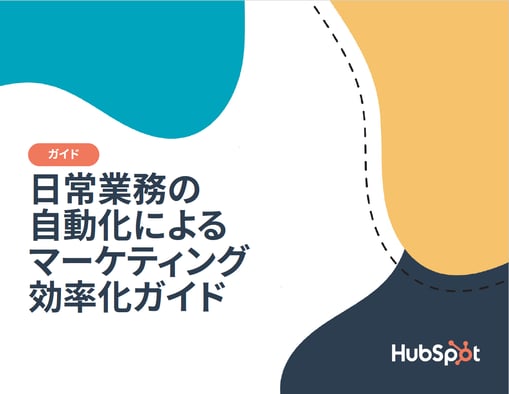
日常業務の自動化によるマーケティング効率化ガイド
HubSpotでは、マーケティングチームの皆さまが自信を持って日常業務にマーケティングオートメーションを取り入れられるよう、簡単なガイドを作成しました。浪費していた時間を取り戻し、業務の効率化や整合性の確保、収益の向上を実現するために、このガイドをお役立ていただければ幸いです。
本ガイドの内容
- マーケティングオートメーションの主なメリット
- 複雑なカスタマージャーニーの構築方法
- HubSpotが提供する最新の高度なオートメーション機能
- その他
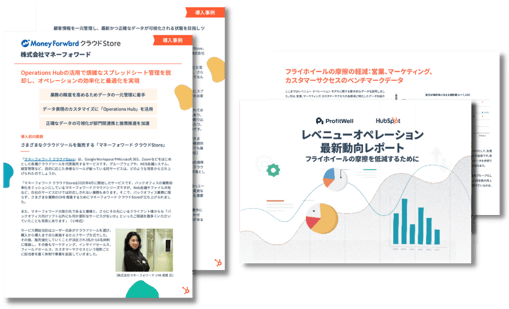
事例PDF&お役立ち資料セット
1. 株式会社マネーフォワード様 事例PDF
2.レベニューオペレーション最新動向レポート
コンテンツに含まれるもの:
- HubSpotを活用した成功事例
- フライホイールの摩擦を軽減し、レベニューオペレーションを実践する方法
- 収益率と顧客維持率に関する統計データ
- ブランドアフィニティー(ブランドへの親近感)と収益維持に関する指標
- システム連携と顧客維持率の関係性
- フリーミアムプランが顧客獲得費用に与える効果
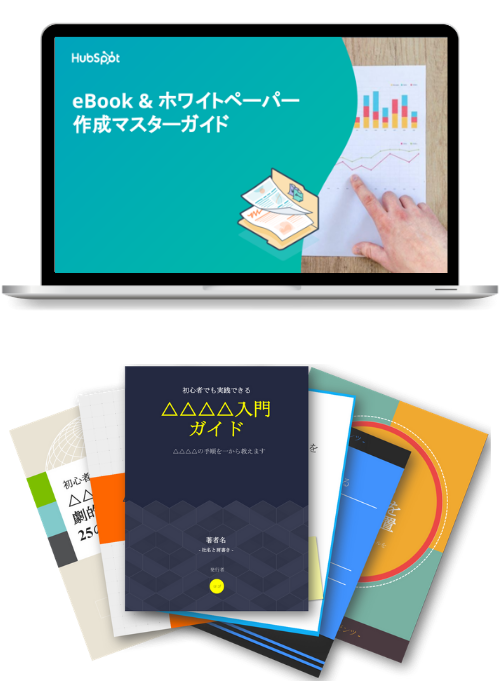
eBook&ホワイトペーパー作成マスターガイド
【無料PPTテンプレ付き】
eBookとホワイトペーパーの作成手順を徹底解説!
コンテンツに含まれるもの:
- eBook / ホワイトペーパーの基礎知識
- 効果的な作成方法
- 成功事例
- リード獲得への活用
- 無料のMicrosoft PowerPointテンプレート
%20%E3%81%AE%E5%9F%BA%E7%A4%8E%E5%AE%8C%E5%85%A8%E3%82%AB%E3%82%99%E3%82%A4%E3%83%88%E3%82%99.png?width=509&height=297&name=%E3%82%B3%E3%83%B3%E3%83%8F%E3%82%99%E3%83%BC%E3%82%B7%E3%82%99%E3%83%A7%E3%83%B3%E7%8E%87%E6%9C%80%E9%81%A9%E5%8C%96%20(CRO)%20%E3%81%AE%E5%9F%BA%E7%A4%8E%E5%AE%8C%E5%85%A8%E3%82%AB%E3%82%99%E3%82%A4%E3%83%88%E3%82%99.png)
コンバージョン率最適化 (CRO) の基礎完全ガイド
ウェブ分析の第一人者 小川卓氏に学ぶ!ユーザー視点から考えるウェブ分析とCRO
CROで顧客体験最適化を実現する方法を詳しく解説!
コンテンツに含まれるもの:
- CROの実践に欠かせないDMAIC
- CROの実践手順
- LPの改善事例
- CROを行う方へのアドバイス

基礎と実践ノウハウを凝縮!SEO基礎完全攻略キット
総合SEO対策プランをオールインワンで!
コンテンツに含まれるもの:
- 30日でウェブサイトのSEO対策を改善する方法
- オンページSEO対策エクセルテンプレート
- SEOに強いブログの執筆実践ガイド
- サーチ インサイト レポート テンプレート
-
2019年に捨てるべきSEOの誤解22選
- 今すぐ無料でダウンロード
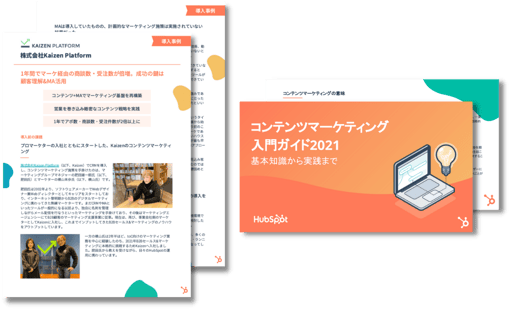
事例PDF&お役立ち資料セット
1. 株式会社Kaizen Platform様
2. コンテンツマーケティング入門ガイド2021
コンテンツに含まれるもの:
- HubSpotを活用した成功事例
- コンテンツマーケティングの基本
- マーケティング戦略の立案方法
- ブログ作成のポイント
-
コンテンツの拡散手段成功事例と書籍のご紹介
- 今すぐ無料でダウンロード
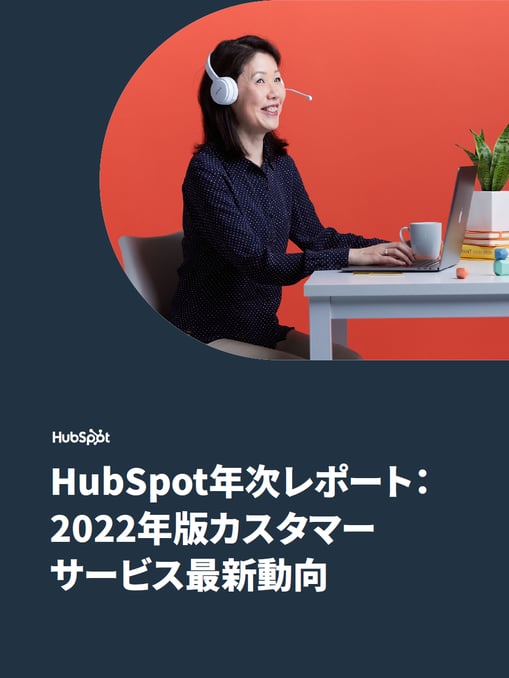
2022年版カスタマーサービス最新動向
顧客の期待がかつてないほど高まったことで、顧客体験全体においてカスタマーサービスが果たすべき役割もますます拡大しています。
HubSpotは、世界1,400人を超えるカスタマーサービス部門のリーダーを対象に、現在の課題、目標、良質なサービスを提供するために活用しているテクノロジーなどについて調査を実施しました。
レポートの内容
- カスタマーサービスのリーダーが直面しているチームの課題
- カスタマーサービス支援に人気のツールやテクノロジー
- カスタマーサービスのパフォーマンス評価に使われている主な測定指標
MAとコンテンツを活用したリードナーチャリングガイド
MAを活用して効率的なリードナーチャリングを実現しましょう
コンテンツに含まれるもの:
- MAの概要
- リードナーチャリングの重要性
- MAでリードナーチャリングを行うための5ステップ
- MAを活用したリードナーチャリングの具体例
2021年版セールス
イネーブルメントに
関するグローバル調査
営業リーダーの皆さまに、2021年の成長機会を見極めるうえで役立つ最新レポートをお届けします。世界中の500人以上の営業リーダーへのアンケート結果をまとめました。2021年の収益目標を達成するために、世界の営業リーダーたちはどのような形でチームを支援しようとしているのか、調査結果をご覧いただけます。
主な調査結果
- 営業モデル:リモート型またはハイブリッド型のモデルを採用した営業リーダーの64%が、収益目標を達成または上回っていました
- イネーブルメント:収益目標を大幅に(10%以上)上回った企業の65%が、専任のセールス イネーブルメント チームを設置しています。
- テクノロジーやツール:高い業績を挙げている営業チームは、業務を自動化し、競合に関するデータを活用しています。目標を上回ったリーダーのうち、営業プロセスにオートメーションを導入している割合は61%に上りました。
日常業務の自動化によるマーケティング効率化ガイド
HubSpotでは、マーケティングチームの皆さまが自信を持って日常業務にマーケティングオートメーションを取り入れられるよう、簡単なガイドを作成しました。浪費していた時間を取り戻し、業務の効率化や整合性の確保、収益の向上を実現するために、このガイドをお役立ていただければ幸いです。
本ガイドの内容
- マーケティングオートメーションの主なメリット
- 複雑なカスタマージャーニーの構築方法
- HubSpotが提供する最新の高度なオートメーション機能
- その他
事例PDF&お役立ち資料セット
1. 株式会社マネーフォワード様 事例PDF
2.レベニューオペレーション最新動向レポート
コンテンツに含まれるもの:
- HubSpotを活用した成功事例
- フライホイールの摩擦を軽減し、レベニューオペレーションを実践する方法
- 収益率と顧客維持率に関する統計データ
- ブランドアフィニティー(ブランドへの親近感)と収益維持に関する指標
- システム連携と顧客維持率の関係性
- フリーミアムプランが顧客獲得費用に与える効果
eBook&ホワイトペーパー作成マスターガイド
【無料PPTテンプレ付き】
eBookとホワイトペーパーの作成手順を徹底解説!
コンテンツに含まれるもの:
- eBook / ホワイトペーパーの基礎知識
- 効果的な作成方法
- 成功事例
- リード獲得への活用
- 無料のMicrosoft PowerPointテンプレート
コンバージョン率最適化 (CRO) の基礎完全ガイド
ウェブ分析の第一人者 小川卓氏に学ぶ!ユーザー視点から考えるウェブ分析とCRO
CROで顧客体験最適化を実現する方法を詳しく解説!
コンテンツに含まれるもの:
- CROの実践に欠かせないDMAIC
- CROの実践手順
- LPの改善事例
- CROを行う方へのアドバイス
基礎と実践ノウハウを凝縮!SEO基礎完全攻略キット
総合SEO対策プランをオールインワンで!
コンテンツに含まれるもの:
- 30日でウェブサイトのSEO対策を改善する方法
- オンページSEO対策エクセルテンプレート
- SEOに強いブログの執筆実践ガイド
- サーチ インサイト レポート テンプレート
-
2019年に捨てるべきSEOの誤解22選
- 今すぐ無料でダウンロード
事例PDF&お役立ち資料セット
1. 株式会社Kaizen Platform様
2. コンテンツマーケティング入門ガイド2021
コンテンツに含まれるもの:
- HubSpotを活用した成功事例
- コンテンツマーケティングの基本
- マーケティング戦略の立案方法
- ブログ作成のポイント
-
コンテンツの拡散手段成功事例と書籍のご紹介
- 今すぐ無料でダウンロード
2022年版カスタマーサービス最新動向
顧客の期待がかつてないほど高まったことで、顧客体験全体においてカスタマーサービスが果たすべき役割もますます拡大しています。
HubSpotは、世界1,400人を超えるカスタマーサービス部門のリーダーを対象に、現在の課題、目標、良質なサービスを提供するために活用しているテクノロジーなどについて調査を実施しました。
レポートの内容
- カスタマーサービスのリーダーが直面しているチームの課題
- カスタマーサービス支援に人気のツールやテクノロジー
- カスタマーサービスのパフォーマンス評価に使われている主な測定指標
MAとコンテンツを活用したリードナーチャリングガイド
MAを活用して効率的なリードナーチャリングを実現しましょう
コンテンツに含まれるもの:
- MAの概要
- リードナーチャリングの重要性
- MAでリードナーチャリングを行うための5ステップ
- MAを活用したリードナーチャリングの具体例
2021年版セールス
イネーブルメントに
関するグローバル調査
営業リーダーの皆さまに、2021年の成長機会を見極めるうえで役立つ最新レポートをお届けします。世界中の500人以上の営業リーダーへのアンケート結果をまとめました。2021年の収益目標を達成するために、世界の営業リーダーたちはどのような形でチームを支援しようとしているのか、調査結果をご覧いただけます。
主な調査結果
- 営業モデル:リモート型またはハイブリッド型のモデルを採用した営業リーダーの64%が、収益目標を達成または上回っていました
- イネーブルメント:収益目標を大幅に(10%以上)上回った企業の65%が、専任のセールス イネーブルメント チームを設置しています。
- テクノロジーやツール:高い業績を挙げている営業チームは、業務を自動化し、競合に関するデータを活用しています。目標を上回ったリーダーのうち、営業プロセスにオートメーションを導入している割合は61%に上りました。
日常業務の自動化によるマーケティング効率化ガイド
HubSpotでは、マーケティングチームの皆さまが自信を持って日常業務にマーケティングオートメーションを取り入れられるよう、簡単なガイドを作成しました。浪費していた時間を取り戻し、業務の効率化や整合性の確保、収益の向上を実現するために、このガイドをお役立ていただければ幸いです。
本ガイドの内容
- マーケティングオートメーションの主なメリット
- 複雑なカスタマージャーニーの構築方法
- HubSpotが提供する最新の高度なオートメーション機能
- その他
事例PDF&お役立ち資料セット
1. 株式会社マネーフォワード様 事例PDF
2.レベニューオペレーション最新動向レポート
コンテンツに含まれるもの:
- HubSpotを活用した成功事例
- フライホイールの摩擦を軽減し、レベニューオペレーションを実践する方法
- 収益率と顧客維持率に関する統計データ
- ブランドアフィニティー(ブランドへの親近感)と収益維持に関する指標
- システム連携と顧客維持率の関係性
- フリーミアムプランが顧客獲得費用に与える効果
eBook&ホワイトペーパー作成マスターガイド
【無料PPTテンプレ付き】
eBookとホワイトペーパーの作成手順を徹底解説!
コンテンツに含まれるもの:
- eBook / ホワイトペーパーの基礎知識
- 効果的な作成方法
- 成功事例
- リード獲得への活用
- 無料のMicrosoft PowerPointテンプレート
コンバージョン率最適化 (CRO) の基礎完全ガイド
ウェブ分析の第一人者 小川卓氏に学ぶ!ユーザー視点から考えるウェブ分析とCRO
CROで顧客体験最適化を実現する方法を詳しく解説!
コンテンツに含まれるもの:
- CROの実践に欠かせないDMAIC
- CROの実践手順
- LPの改善事例
- CROを行う方へのアドバイス
基礎と実践ノウハウを凝縮!SEO基礎完全攻略キット
総合SEO対策プランをオールインワンで!
コンテンツに含まれるもの:
- 30日でウェブサイトのSEO対策を改善する方法
- オンページSEO対策エクセルテンプレート
- SEOに強いブログの執筆実践ガイド
- サーチ インサイト レポート テンプレート
-
2019年に捨てるべきSEOの誤解22選
- 今すぐ無料でダウンロード
事例PDF&お役立ち資料セット
1. 株式会社Kaizen Platform様
2. コンテンツマーケティング入門ガイド2021
コンテンツに含まれるもの:
- HubSpotを活用した成功事例
- コンテンツマーケティングの基本
- マーケティング戦略の立案方法
- ブログ作成のポイント
-
コンテンツの拡散手段成功事例と書籍のご紹介
- 今すぐ無料でダウンロード
2022年版カスタマーサービス最新動向
顧客の期待がかつてないほど高まったことで、顧客体験全体においてカスタマーサービスが果たすべき役割もますます拡大しています。
HubSpotは、世界1,400人を超えるカスタマーサービス部門のリーダーを対象に、現在の課題、目標、良質なサービスを提供するために活用しているテクノロジーなどについて調査を実施しました。
レポートの内容
- カスタマーサービスのリーダーが直面しているチームの課題
- カスタマーサービス支援に人気のツールやテクノロジー
- カスタマーサービスのパフォーマンス評価に使われている主な測定指標
Module Preview
FAQ's
How To Use This Module
Tabs are used as a tool to navigate between related content within the same page, allowing visitors to explore and discover without leaving the page. Content is separately organized under a single tab.
Use Cases
Tab Content Options
Each tab can display rich text with media (image or video), or a multi-column layout with up to 4 columns containing images, headings, descriptions, and CTAs.
Media Layouts
Choose from 6 media sizes (x-small to full-width) with configurable content order (media-first or text-first). X-large media includes background color options.
Deep Linking
Configure query parameters to activate specific tabs on page load, enabling direct links to tab content.
The module supports deep linking by setting a `Deep Link Key` (query parameter name) and per-tab `Deep Link Value` fields:
- Example: Set `Deep Link Key` to `tab` and configure values like `overview`, `pricing`, `faqs`
- URLs like `?tab=pricing` will activate the matching tab on page load
- Uses contains matching: `Deep Link Value` of `pricing` matches both `?tab=pricing` and `?tab=compare-pricing`
Orientation and Alignment
Support for horizontal or vertical tab orientation with left or center alignment.
Multi-Column Mode
Alternative layout mode that displays content in responsive columns instead of media+text.
Get on-brand assets for your module
Guidelines
Character Count
- Limit tab labels to 2 to 3 short words
Image Sizing
- Full Width image size caps at 1080px wide on Desktop
- X-Large image size caps at 991px wide on Desktop
- Large image size caps at 768px tall and 542px wide on Desktop
- Medium image size caps at 510px tall and 340px wide on Desktop
Things to Know
- Tabs orientation can be set up as either horizontal or vertical
- Columns can we used within tab content

What's New?
| v4.1.0 October 2025
- This module now has more media options! Choose between large, medium, small, x-small and now Full Width and X-Large media sizes. X-Large size also has two background color options: Accent 1 and Accent 2
- The module now support deep linking to a specific tab
| v2.26.0 April 2025
- Now available to use on HubSpot Blog
| v2.23.0 March 2025
- This module now allows you to use columns within tab content
| v2.20.0 December 2024
- This module now allows for a Vertical Tabs orientation
| v2.16.1 October 2024
- This module now has more media options! Choose between large, medium, small and now x-small media sizes
| v1.0.0 August 2022
- This module now has more media and layout options! Choose between large and small media size, left or right media alignment and add rich text to the content copy