Logo - Full (Color)

Prep for and Follow Up on Meetings

User Persona Service
Use Case Readiness Established

Customer meeting prep takes hours. Follow-up action items get lost. 

Breeze pulls customer history and captures next steps. 

Walk into Every Customer Meeting Ready

QBRs and customer check-ins require knowing the full picture: tickets, calls, interactions, and account health. Breeze Assistant pulls complete customer history from HubSpot's Smart CRM and generates AI summaries, talking points, and context in seconds. 

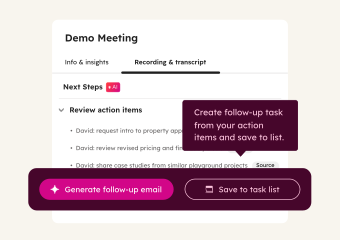
Start with Breeze Assistant for on-demand meeting prep. Add the AI Notetaker to record customer meetings, create transcripts, and generate follow-ups with action items. Then use the Call Recap Agent to turn long calls into structured notes and emails. 

Learn more

Free, All Products

Get Started with Breeze Assistant

Prep for your next customer meeting in minutes.

Step 1 - Open Breeze Assistant

Click the Breeze Assistant icon in the top navigation bar of your HubSpot account. Breeze Assistant is included in every subscription and available across all your HubSpot tools.

Step 2 - Prepare for an Upcoming Meeting

Find an upcoming meeting in your calendar view and click "Prepare." Breeze Assistant pulls the customer's full history, including tickets, calls, emails, and CRM activity, and generates a summary with talking points and things to watch for.

Step 3 - Ask Follow-Up Questions

Use a prompt like "I have a QBR with [customer]. What should I cover?" or "What open issues does [customer] have going into this call?" Breeze Assistant builds a clear agenda from recent interactions, so you can walk in prepared. 

Step 4 - Draft Your Follow-Up

After the meeting, ask Breeze Assistant to draft a follow-up email. For example: "Write a follow-up to [customer] summarizing what we discussed and confirming next steps." It pulls from the call context and CRM history to write something specific, not generic.

Turn it on. Watch it work.

Once Breeze Assistant is prepping your meetings, customer conversations get sharper. You walk in knowing their history, and nothing falls through the cracks between meetings. 

What to expect:

  • Complete customer history pulled before every meeting

  • Follow-up emails drafted after every call

  • More time for better conversations and relationship building

Your customers don't care how you prepared. They care that you did. Show up knowing their history, their issues, and their goals. That's how you earn their loyalty.

Go Deeper with More Breeze Tools

Once customer meeting prep and follow-ups are automated, add these tools to smooth transitions and recaps.
ai_meeting_notetaker_thumbnail

Sales Hub Professional, Service Hub Professional

AI Notetaker

Automates customer meeting prep with CRM context, records meetings, creates transcripts, and generates follow-ups with action items. Use it for every recurring customer meeting, so your team has a searchable record of what was discussed and what was promised, without anyone taking manual notes.
call_recap_agent

Starter, All Products

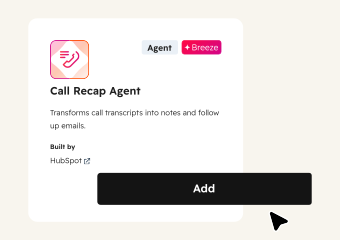
Call Recap Agent

Transforms call transcripts into structured notes and follow-up emails. Use it after long or complex customer conversations where the full transcript is too dense to share. The recap pulls out key topics, decisions, and next steps in a clean format.
customer_handoff_agent@2x

Starter, All Products

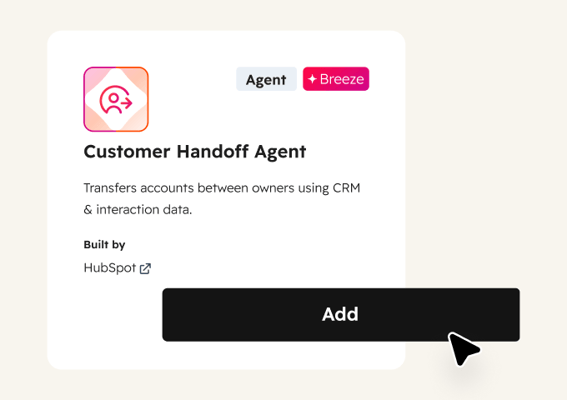
Customer Handoff Agent

Transfers customers between internal teams by compiling recent communications, account status, and key contacts into a structured handoff document. Use it when a customer moves from onboarding to ongoing support, or when a CSM changes, so the new owner starts fully informed.