Walk through the Breeze tools that help your team research accounts, personalize emails, and reach prospects when they're most likely to engage.
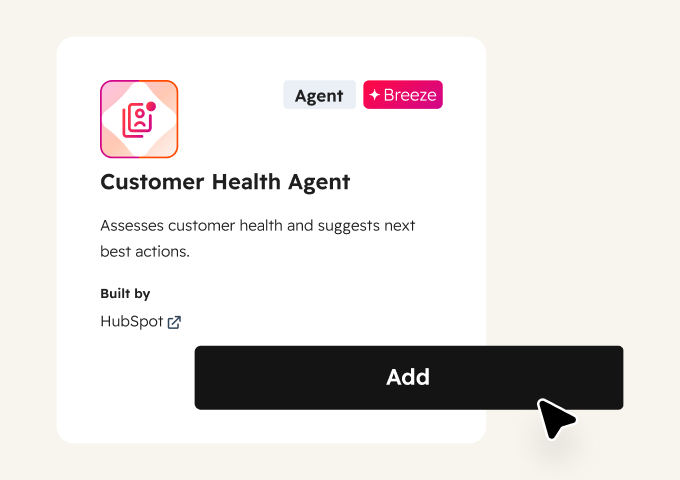
See the Signals Before Customers Leave
Churn rarely happens without warning. The signals are buried in call transcripts, ticket threads, and survey responses. Customer Health Agent analyzes these signals and flags accounts that need attention before a cancellation request.
Start there to assess account health and get recommended next steps. Add Conversation Intelligence to track churn signals like cancellation mentions, competitor references, and frustration patterns across customer calls. Then use Feedback Survey Summaries to monitor satisfaction trends.
Start here
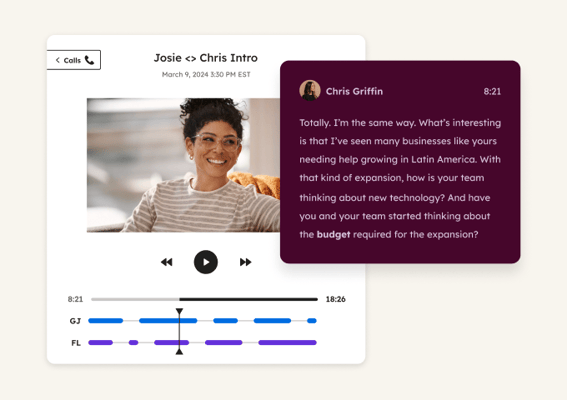
Conversation Intelligence
Tracks key terms like "cancel," "frustrated," "competitor," or "budget" across all recorded calls and generates reports identifying at-risk accounts. Use it to catch churn signals from real customer conversations that wouldn't show up in ticket data or surveys alone.
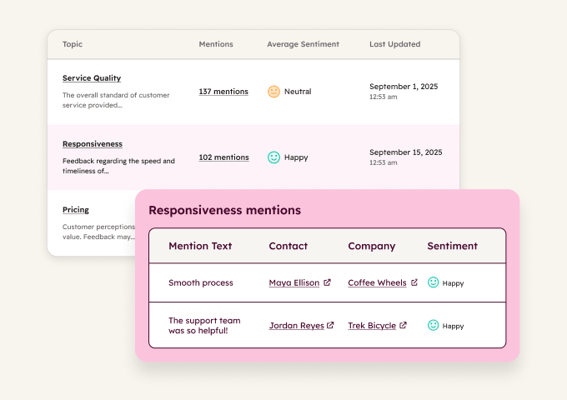
Feedback Survey Summaries
Analyzes feedback survey responses to identify key themes at a glance. Use it to spot patterns across your customer base, like recurring complaints or feature requests, without reading every individual response.
 Emerging
Drive Renewals and Upsells
Know which customer accounts are ready to expand. Breeze analyzes usage patterns and engagement signals to flag expansion-ready accounts and time renewal conversations right.
 Emerging
Analyze Customer Feedback
Read every survey without reading every survey. Breeze analyzes feedback responses and call transcripts to surface the key themes your customers care about most.
 Established
Prep for and Follow Up on Meetings
Walk into every QBR ready. Breeze pulls complete customer history before each meeting, records the conversation, and captures action items so nothing slips between calls.