Logo - Full (Color)

Send personalized outreach

Stop sending generic messages.

Let AI craft outreach that addresses each customer's unique situation.

pictogram-send-personalized-outreach (1)

The Problem

Generic Messages Get Ignored. Customers Deserve Better.

Sound familiar?

  • "Customer success manually reaches out with generic check-in templates."

  • "We have no way to personalize outreach at scale across hundreds of accounts."

  • "By the time we research each customer's situation, the moment to reach out has passed."

You need to engage customers with relevant, timely outreach. Generic messages get deleted, and manual personalization doesn't scale. Your team needs to know which customers need attention and what to say to each one.


How Breeze Helps

How Breeze Helps

Turn Customer Data Into Personal Outreach

AI identifies customers who need attention based on ticket sentiment, conversation topics, and account research. It helps craft personalized messages that address specific customer situations and concerns. Start with Breeze Assistant to analyze customer data and draft outreach, then add Data Agent for deeper account intelligence.

Start with Breeze Assistant

Free, All Products

Most AI tools write generic templates. Breeze Assistant crafts personal messages.

Breeze Assistant analyzes customer data and interaction history to help craft personalized outreach messages. Ask it to summarize recent tickets, identify customer pain points from call transcripts, or draft emails that reference specific customer situations. Get contextual outreach messaging in seconds instead of hours spent reviewing scattered records.

Because it's built on HubSpot's Smart CRM, Breeze Assistant pulls from your complete customer history, including tickets, calls, emails, and CRM properties. Every message you send is informed by actual customer behavior and interactions, not generic assumptions about account health.

This is the difference between outreach that customers ignore and outreach that strengthens relationships.

Get Started With Breeze Assistant

Start crafting personalized customer outreach in four simple steps.

Step 1 - Open Breeze Assistant

Click the Breeze Assistant icon in the top navigation bar of your HubSpot account. Breeze Assistant is included in every subscription and available across all your HubSpot tools.

Step 2 - Ask About Customer Context

Enter a prompt like "Summarize recent tickets for [customer name]" or "What pain points has [customer] mentioned in recent calls?" Breeze Assistant analyzes your CRM data and surfaces relevant context for outreach. Need inspiration? Browse the Breeze Assistant Prompt Library for ready-to-use prompts.

Step 3 - Draft Personalized Messages

Ask Breeze Assistant to "Draft a check-in email for [customer] that addresses their recent support issues" or "Write an outreach message about [specific topic]." The assistant uses customer context to create relevant, personalized messaging.

Step 4 - Refine and Send

Review the drafted message, ask Breeze Assistant to refine specific parts if needed, then copy the message and send it through your preferred channel. Breeze Assistant saves you research time while ensuring every message is personal and relevant.

Working across a large book of accounts?

Ask Breeze Assistant to surface common themes from recent interactions or flag customers showing signs of disengagement — so you always know where to focus first.

Go Deeper with More Breeze Tools

Once Breeze Assistant is helping you craft personalized outreach, add Data Agent to research deeper customer insights.
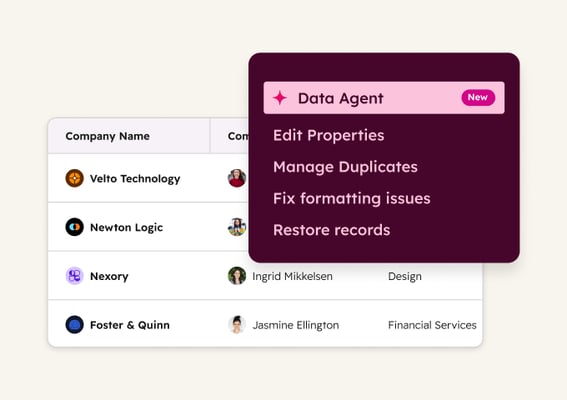
data_agent_thumbnail_2x Starter, All Products

Data Agent

Researches customer accounts to provide insights for personalized outreach by analyzing product usage, support history, team expansion, and recent business developments using your CRM, conversations, documents, and web sources. Use it to answer targeted questions to prepare renewal conversations and identify upsell opportunities.

resolve_support_tickets_service_pictogram Established

Resolve support tickets

Resolve common inquiries instantly, day or night. Breeze handles routine questions using your knowledge base, freeing your team to focus on complex issues that need human expertise.

review_and_route_tickets_service_pictogram Established

Review and route tickets

Get every ticket to the right rep immediately. Breeze categorizes, detects sentiment, and flags urgent issues automatically so priority requests never sit in queue.