Logo - Full (Color)

Prep for and Follow Up on Meetings

User Persona Sales
Use Case Readiness Established

Reps have multiple meetings per day and no time to adequately prep.

Breeze pulls your CRM context before every call and captures follow-ups after.

Prep for and Follow Up on Meetings Image

Start Every Call More Informed

Every meeting your sales reps take should build on the last one. Breeze pulls contact history, deal stage, past calls, and recent activity from HubSpot's Smart CRM before the call starts. After it ends, Breeze captures notes, extracts next steps, and drafts a follow-up email automatically. 

Start with Smart Deal Progression to enable meeting prep, AI notetaking, and post-call CRM updates in one workflow. Add Breeze Assistant to pull contact summaries on demand. Then use the Call Recap Agent when you need full transcripts turned into structured notes. 

Learn more

Close deals

2x

faster on average with HubSpot Sales Meetings

Close

2.4x

more deals on average with HubSpot Sales Meetings

Win

2.4x

more deals on average with HubSpot Sales Meetings
We're leading more relevant client conversations and giving our reps the context they need automatically. AI meeting assistant preps our global team with insights from web activity and past interactions, so they can focus on what matters: closing deals.

BILL MOONEY

Director of Sales

Time Doctor

Sales Hub Professional

Get Started with Smart Deal Progression

Get meeting prep, notes, and follow-ups in one workflow.

Step 1 - Enable Smart Deal Progression

Navigate to Sales, then Deals, and look for the Smart Deal Progression settings. Turn on the feature to enable AI-powered meeting prep, notetaking, and post-call follow-ups for your deal pipeline.

Step 2 - Connect Your Calendar

Connect your Google or Outlook calendar, so Breeze can identify upcoming meetings with CRM contacts. This lets it join your calls and provides pre-meeting context based on deal and contact records.

Step 3 - Turn on the AI Meeting Notetaker

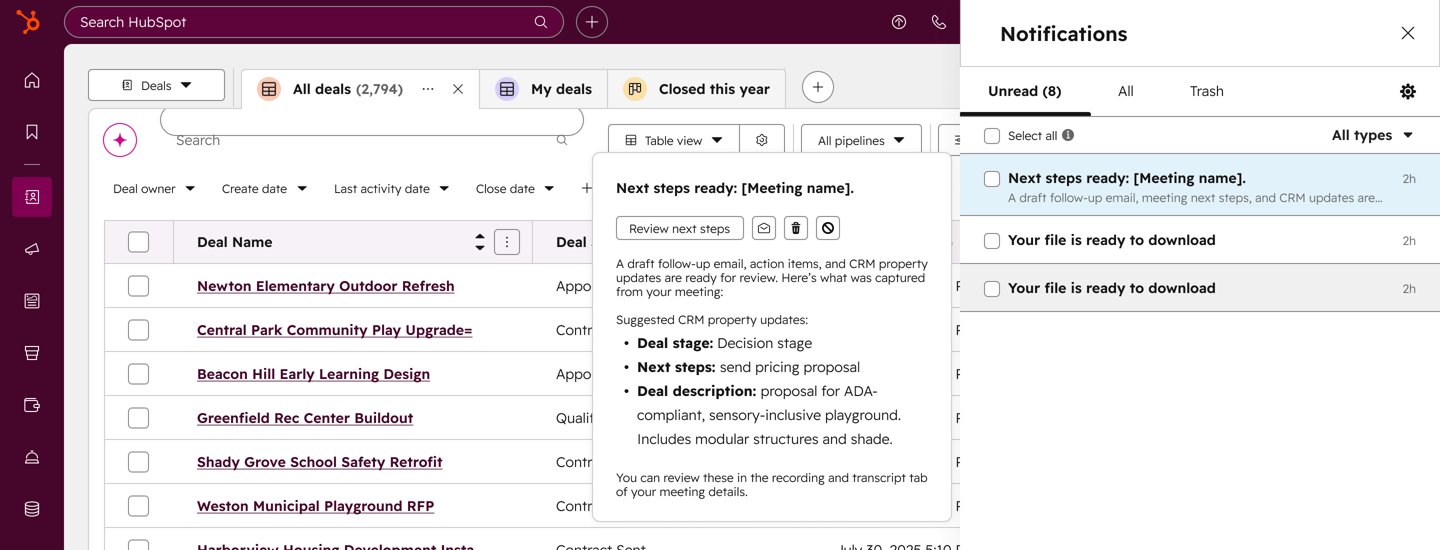
Enable the AI Meeting Notetaker to automatically join your calls. It records the conversation, generates a transcript, and captures key moments. After the call, it surfaces action items, recommended CRM updates, and a draft follow-up email. 

Step 4 - Review and Send Follow-Ups

After each call, check the post-call summary on the deal record. Review the AI-generated notes, confirm the extracted action items, and send the draft follow-up email. Approve recommended CRM property updates to keep your deal record current.

Turn it on. Watch it work.

Once Smart Deal Progression is active, every meeting starts with context and ends with action items. Notes, CRM updates, and follow-up emails happen automatically.

What to expect:

  • Pre-call briefs pulled from your CRM automatically

  • Notes and action items captured after every call

  • Follow-up emails drafted and ready to review

The rep who walks in prepared and follows up in minutes wins the deal. The one who scrambles to remember what was said doesn't.

Go Deeper with More Breeze Tools

Once your meetings run on autopilot, add these tools to deepen context and smooth handoffs.
breeze_assistant_thumbnail@2x

Free, All Products

Breeze Assistant

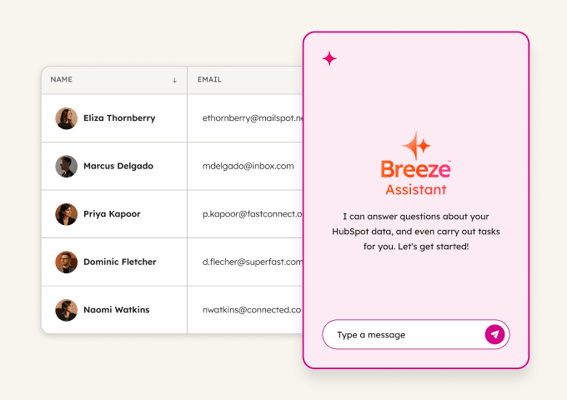
Pulls contact summaries, deal history, and past call notes in real time, so you can prep for any conversation on demand. Use it when you need quick context before an unscheduled call or want to review a contact's full history before a negotiation.
call_recap_agent

Starter, All Products

Call Recap Agent

Transforms full call transcripts into structured notes and follow-up emails. Use it when calls go long or cover complex topics and you need a clean summary to share with your team or send to the prospect.
customer_handoff_agent@2x

Starter, All Products

Customer Handoff Agent

Compiles deal status, recent communications, main contacts, and key commitments into a structured handoff document. Use it when passing a closed deal to customer success so the new team starts informed without the customer repeating their story.