Walk through the Breeze tools that help your team research accounts, personalize emails, and reach prospects when they're most likely to engage.
-1.webp?width=1440&height=900&name=Quote%20view%20%E2%80%93%20Closing%20Agent%20(1)-1.webp)
Answer Buyer Questions Before They Slow You Down
The largest deals can take the longest when buyers can't get fast answers about pricing, discounts, or terms. Closing Agent gives buyers instant, accurate responses to detailed questions about your quotes, so they have clarity and confidence to sign.
Start by having Closing Agent handle buyer questions in real-time. Add the RFP Agent to auto-fill proposal responses using your past answers. Then use Breeze Assistant to generate quote cover letters and adjust line items in plain language.
Start here
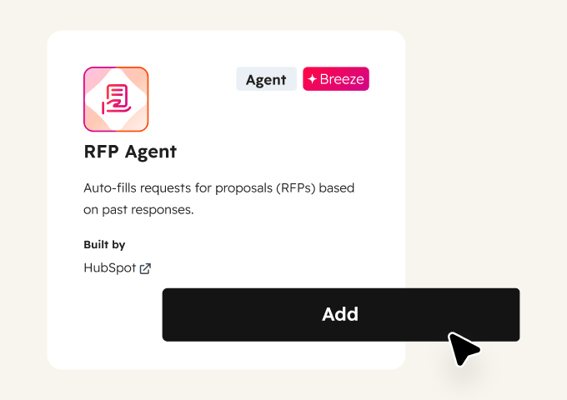
RFP Agent
Auto-fills requests for proposals using your past responses and connected knowledge sources. Flags items that need custom responses, so your team focuses only on the questions that require human judgment. Use it when responding to formal RFPs that would otherwise take hours of copy-pasting.
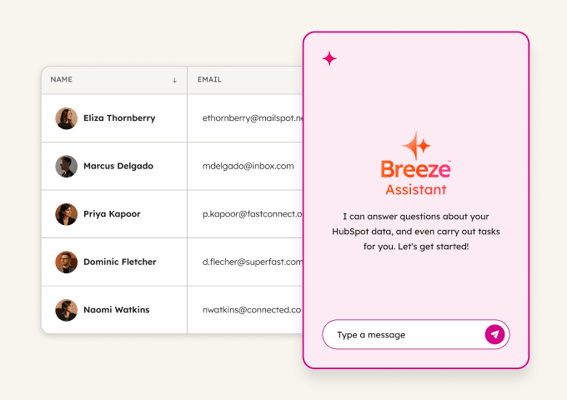
Breeze Assistant
Generates quote cover letters and adjusts line items using plain language. Ask it to "Add a 10% volume discount" or "Write a cover letter for this quote." Use it to handle the writing and formatting that slows down the last mile of a deal.
 Emerging
Identify At-Risk Deals
Catch stalled deals before they go cold. Breeze monitors your pipeline for deals losing momentum, flags what changed at the account, and helps reps re-engage with relevant outreach.
 Established
Send Personalized Outreach
Scale personalized outreach without scaling headcount. Breeze researches accounts, monitors for buying signals, and crafts emails that reference what changed, so reps engage at just the right moment.
 Emerging
Analyze and Forecast Sales Pipeline
Replace forecast guesswork with deal-level clarity. Breeze analyzes patterns in won and lost deals, scores close probability, and shows exactly where your pipeline needs attention.