Logo - Full (Color)

Analyze and Forecast Sales Pipeline

User Persona Sales
Use Case Readiness Emerging

Your forecast is a guess. Your pipeline is a blind spot. 

Breeze analyzes deals in your sales pipeline and shows you what to fix.

Replace Guesswork With Deal-Level Clarity

Your sales pipeline tells a story, but only if you can read it. Breeze Assistant analyzes deal history across your HubSpot Smart CRM to surface patterns in won and lost deals, so you know what's working and what's stalling before the quarter closes. 

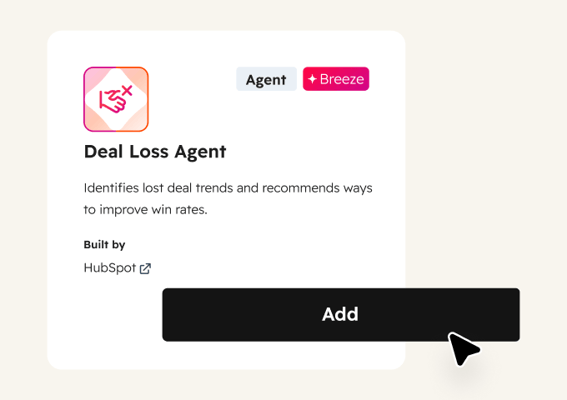
Start with Breeze Assistant to analyze deal patterns on demand. Add Deal Insights for real-time scoring and recommended actions on every deal. Use the Deal Loss Agent to learn why deals are lost and what your team can change.

Learn more

Generate

4x

more leads on average with Breeze Assistant

Create

2.2x

more deals on average with Breeze Assistant

Close

2.7x

more deals on average with Breeze Assistant

Free, All Products

Get Started with Breeze Assistant

Ask question about your sales pipeline and get an answer in seconds.

Step 1 - Open Breeze Assistant

Click the Breeze Assistant icon in the top navigation bar of your HubSpot account. Breeze Assistant is included in every subscription and available across all your HubSpot tools.

Step 2 - Ask About Your Sales Pipeline

Enter a prompt like "What patterns do you see in my closed-won deals this quarter?" or "Which open deals are most likely to close this month?" Breeze Assistant analyzes your CRM data and returns deal-level insights in seconds.

Step 3 - Dig into Lost Deals

Ask follow-up questions to understand why deals are lost, like "What are the most common reasons deals stalled in Q1?" or "Which deal stages have the highest drop-off rate?" Use the answers to adjust your team's approach.

Step 4 - Build a Forecast View

Ask Breeze Assistant to summarize your pipeline by stage, close probability, or rep. Use the output to build a data-backed forecast instead of relying on gut feel. Revisit weekly to track changes and spot new risks early.

Turn it on. Watch it work.

Once Breeze Assistant is answering sales pipeline questions, you stop guessing. Every deal has a score, every loss has a reason, and your forecast is built on patterns across your actual CRM data.

What to expect:

  • Deal patterns surfaced from your CRM data

  • Close probability scored on every open deal

  • Closed-lost analysis that shows why you lose

A forecast built on data is a plan. A forecast built on assumption is a hope. Your pipeline has the answers. Now you can read them.

Go Deeper with More Breeze Tools

Once Breeze Assistant is analyzing your pipeline, add these tools to score deals and learn from losses.
Sales Hub - Deal Scores

Sales Hub Professional

Deal Insights

Analyzes deal patterns and close probability across your pipeline in real time, then provides predictive insights and recommends specific actions to advance deals. Use it when you want continuous, automatic monitoring instead of asking Breeze Assistant one question at a time.
deal_loss_agent@2x

Starter, All Products

Deal Loss Agent

Analyzes closed-lost deals to identify trends across your pipeline, such as common objections, stages where momentum drops, and competitor mentions. Use it to find systemic issues your team can fix rather than treating every lost deal in isolation.