See how AI analyzes buyer interactions across emails, calls, and meetings to surface the next steps that move your deals forward.
Work the Deals That Actually Close
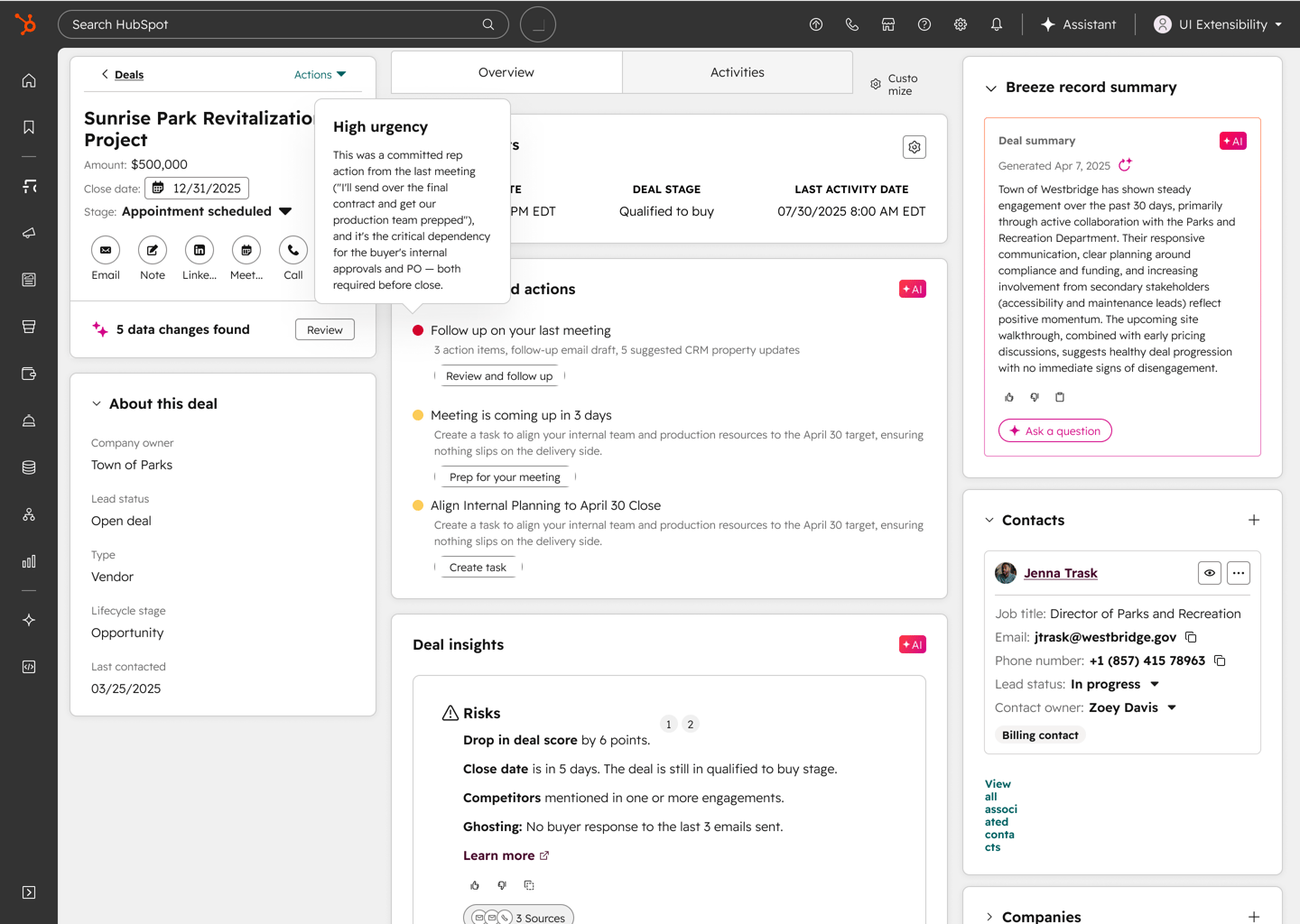
AI reviews every buyer interaction, from emails to calls to meetings, and tells reps which deals need attention and why. Instead of manually reconstructing timelines, reps see a real-time deal health score and prioritized actions on every open deal.
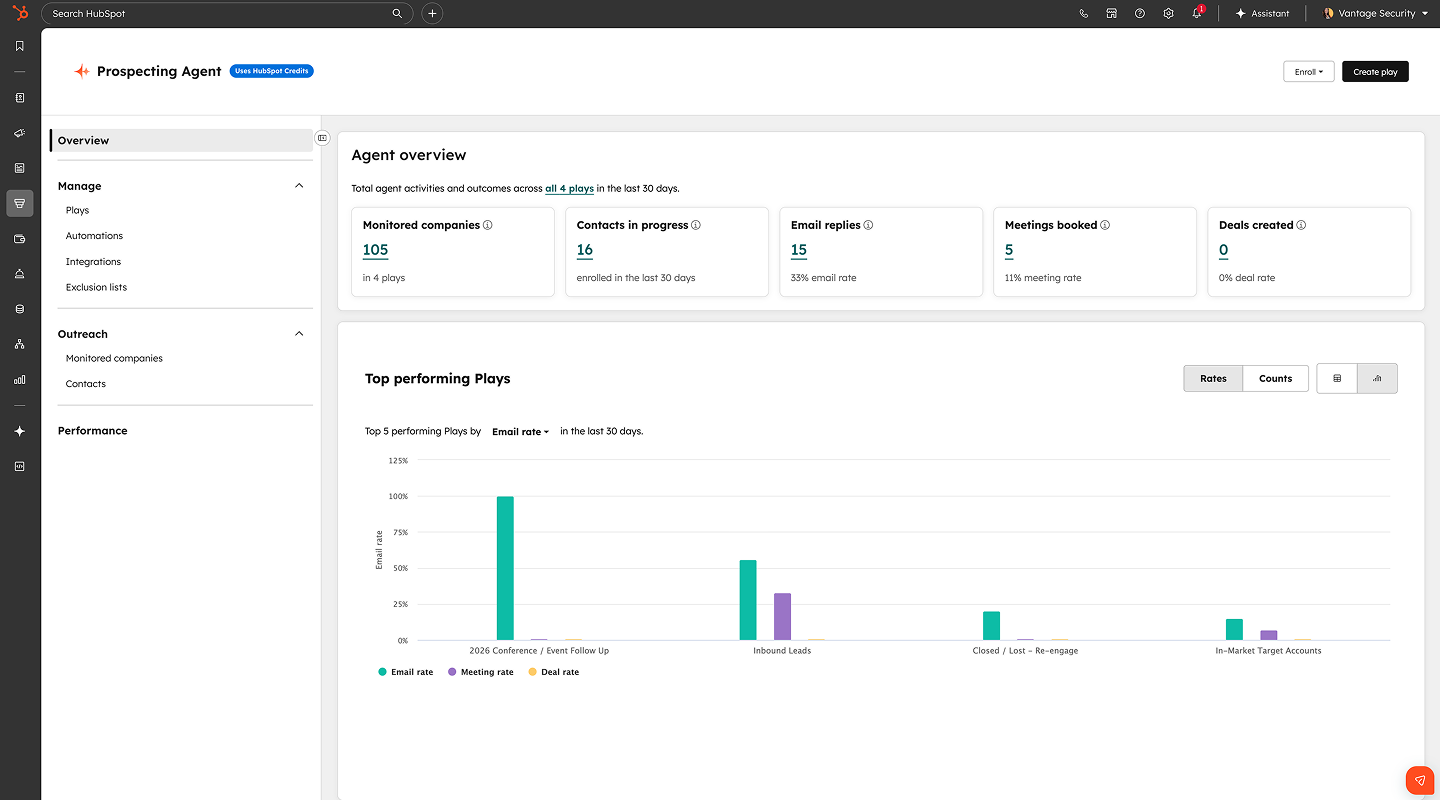
Step 1 - Connect Your Conversations
Connect your email (Gmail or Outlook) and enable Notetaker. Deal progression uses buyer interactions from these sources to generate health scores and recommendations. You can also bring transcripts from apps like Zoom, Teams, or Meet.
Step 2 - Review Deal Health Scores
Once connected, predictive deal score populates scores for every active deal based on recent interactions. Navigate to any deal record to see the health score, which reflects engagement patterns, response timing, and conversation sentiment across all channels.
Step 3 - Act on Next Best Actions
Deal progression surfaces prioritized recommendations on every deal record . Each action includes context on why it matters, so reps execute the right next step without clicking through timelines.
Step 4 - Send Contextual Replies
When a prospect emails, deal progression drafts a reply based on the full conversation history, including past objections, agreed next steps, and meeting outcomes. Review and edit the draft directly in Gmail or Outlook before sending.
Step 5 - Create a Deal Plan
Set up a shared path to close with milestones, owners, and target dates. Admins can build templates that match your sales process. As deals progress, deal progression updates plans automatically based on what happens in meetings, calls, and emails.
Start here
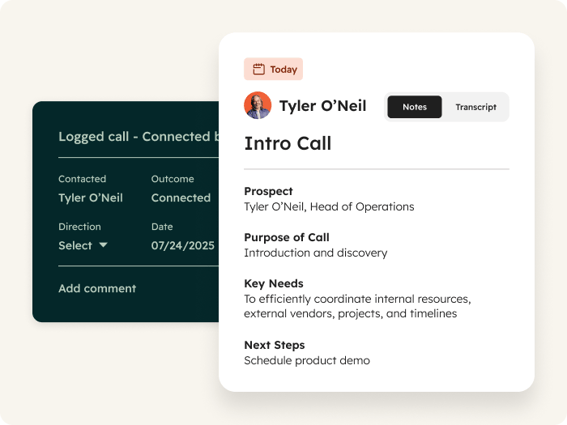
Notetaker
Captures meetings and calls automatically, or accepts transcripts from Zoom, Teams, and Meet. Transcripts feed deal progression with the conversation context to prioritize accurately. Use it to ensure no buyer interaction is missed on deals with long sales cycles.
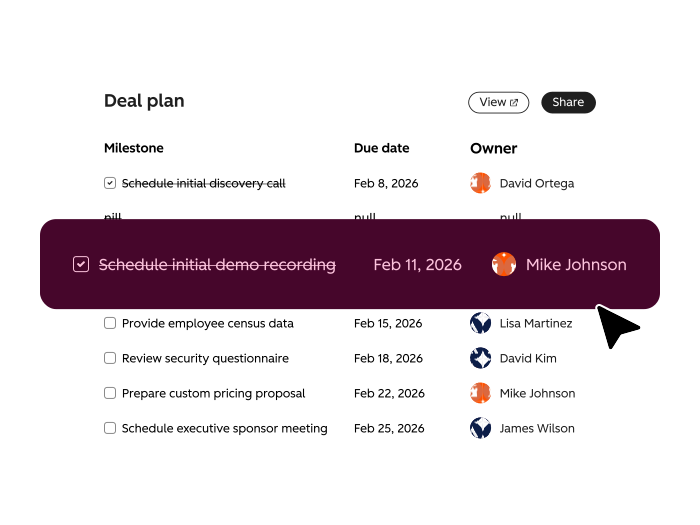
Deal Plans
Gives buyers and sellers a shared path to close with milestones, owners, and dates that update as deals progress. Admins create templates that match your sales process. Use it to keep both sides aligned on what happens next without status meetings or email chains.

Recommended Actions
Replaces manual activity tracking with smart recommendations delivered on the deal record and through the overview tab on the deal record. Surfaces prioritized next steps based on recent emails, calls, and meetings. Use it to focus reps on what to do next instead of what happened last.
 Emerging
Identify At-Risk Deals
Catch stalled deals before they go cold. Breeze monitors your pipeline for deals losing momentum, flags what changed at the account, and helps reps re-engage with relevant outreach.
 Emerging
Analyze and Forecast Sales Pipeline
Replace forecast guesswork with deal-level clarity. Breeze analyzes patterns in won and lost deals, scores close probability, and shows exactly where your pipeline needs attention.
 Established
Prep for and Follow Up on Meetings
Walk into every QBR ready. Breeze pulls complete customer history before each meeting, records the conversation, and captures action items so nothing slips between calls.