Logo - Full (Color)

Identify buyer intent

Stop guessing who's ready to buy.

Let AI surface the signals that matter.

pictogram-identify-buyers-intent

The Problem

Buying Signals Are Everywhere. Your Reps Are Missing Them.

Sound familiar?

  • "By the time we notice a prospect is interested, they've already talked to a competitor."

  • "My reps check five different tools to figure out who to call first."

  • "We have intent data, but nobody knows what to do with it." 

You need to know when prospects are ready to buy. What's changed is that you no longer have to piece together signals manually from scattered tools and news alerts.

The most time-consuming parts of prospecting, like monitoring accounts and interpreting signals, are exactly where AI delivers the most value. Let AI watch your accounts around the clock, so your team focuses on conversations, not research.


illustration-operations

How Breeze Helps

Know Who's Ready to Buy Before Your Competitors Do

Buyer Intent shows you which accounts are actively showing interest and why, so your reps can prioritize the accounts to focus on next. Start with Buyer Intent, and then see how other Breeze tools can help you engage at the right moment.


Start with Buyer Intent

Starter, All Products

Most intent tools just dump data. Buyer Intent shows you who to call and when.

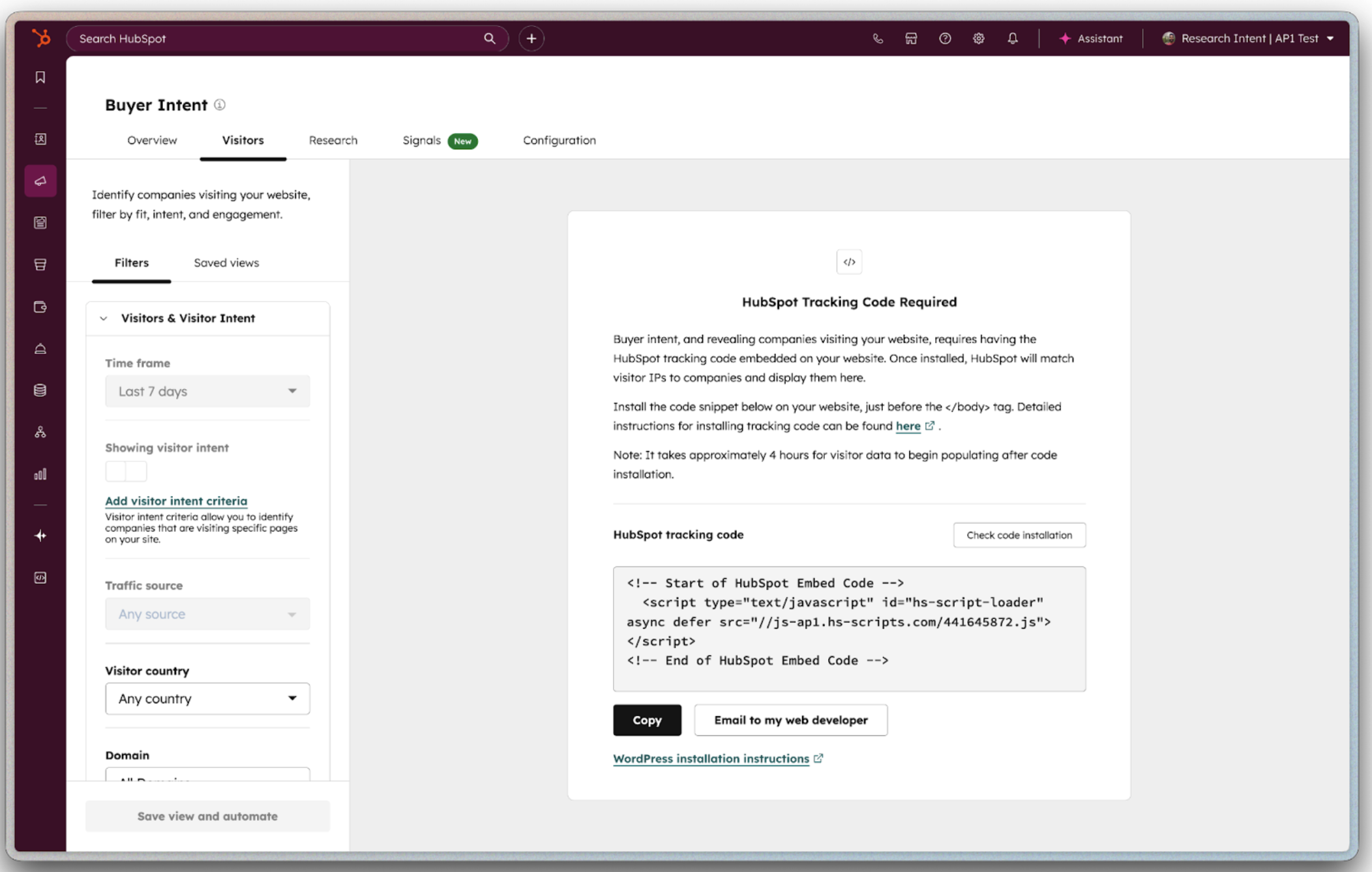
Buyer Intent identifies companies visiting your website and helps you filter for those that match your target criteria and exhibit real buying signals. It identifies which accounts are actively researching solutions like yours, so reps stop wasting time on cold outreach and start conversations with interested prospects.

Because it's built on HubSpot's Smart CRM, every signal is automatically logged in the company record. When your rep reaches out, they know exactly which pages prospects visited, how many people attended an event, and what triggered the spike in activity. No more guessing. No more generic outreach.

This is the difference between chasing cold accounts and engaging warm ones.

Get Started With Buyer Intent

Set up Buyer Intent in minutes and start seeing which companies are ready to buy.

Step 1 - Install Your Tracking Code

Ensure the HubSpot tracking code is installed on your website. This lets HubSpot identify which companies are visiting and what pages they're viewing.

Step 2 - Define Your Target Market

Navigate to Settings > Markets and set up your target market criteria. This tells Buyer Intent which types of companies matter most to your business.

Step 3 - Set Visitor Intent Criteria

Choose the pages on your website that signal real interest — like your pricing page, demo request page, or product pages. Then refine by visit count, number of unique visitors, and the countries you care about most.

Step 4 - Choose Research Topics

Select topics that match what your business sells. You can type them in freeform to find matches, or enter your website domain to get personalized topic recommendations based on your business.

Step 5 - Automate Account Creation

Build saved views that represent your highest-fit accounts. Then set up automations to add new companies to your CRM when they meet your criteria — no manual work required.

Step 6 - Track Your Best Accounts for Signals

Select companies to monitor. Once tracked, HubSpot watches for meaningful buying moments — company news like funding rounds or executive hiring, spikes in website activity, and research into topics relevant to your business. When a signal fires, you can act on it directly in your workflows, segments, and lead scoring.

Need automated signal tracking?

Automate which companies HubSpot monitors based on lifecycle stage, segment, or target account status.

Go Deeper with More Breeze Tools

Once Buyer Intent is surfacing warm accounts, add more Breeze tools to turn signals into meetings.
prospecting_agent_thumbnail_2x Sales Hub Professional

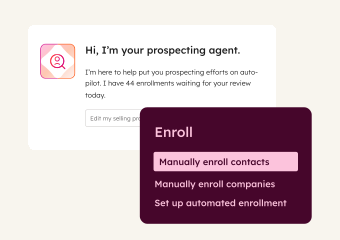
Prospecting Agent

Monitors enrolled prospects 24/7 for buying signals and crafts personalized outreach when it's time to reach out. Use it to engage at the right moment with messaging that references what changed.
company_research_agent_2x Starter, All Products

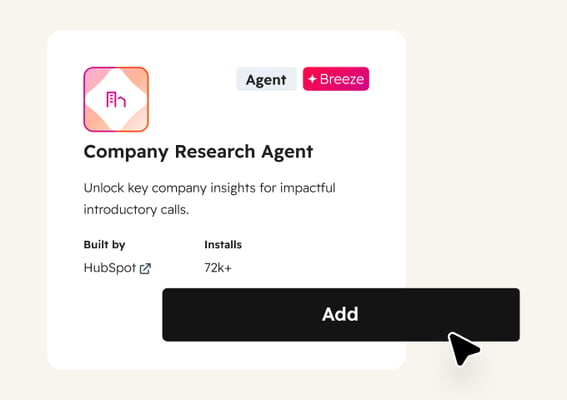
Company Research Agent

Provides deep research on workforce, audience, funding data, and online presence before every interaction. Use it to walk into conversations informed without spending hours on manual research.

After comparing our current website tracking tool (a leader in the space) with HubSpot's new buyer intent feature over 14 days, the results were clear: HubSpot showed three times as many companies that had visited our website than our current tool. I can confidently say that HubSpot's buyer intent feature is among the best visitor tracking solutions available.

KATIE MCCAULEY

SnapFulfil

capture_and_qualify_leads_sales_pictogram Emerging

Capture and qualify leads

Convert website visitors into qualified meetings, 24/7. Breeze engages leads instantly, qualifies them on your criteria, and books meetings with the right rep while interest is high.

enrich_contact_company_data_sales_pictogram Emerging

Enrich contact and company data

Fill CRM gaps automatically with complete contact and company details. Breeze enriches records continuously, so your team can segment, score, and personalize without manual research.

send_personalized_outreach_sales_pictogram Established

Send personalized outreach

Scale personalized outreach without scaling headcount. Breeze researches accounts, monitors for buying signals, and crafts emails that reference what changed, so reps engage at just the right moment.