Logo - Full (Color)

Enrich Contact and Company Data

User Persona Marketing
Use Case Readiness Emerging

Incomplete CRM records make your audience segments unreliable.

Data Enrichment fills the gaps, with no manual entry needed.

Build Audience Segments on Data You Can Trust

Blank fields don't just look messy. They break your segments, weaken your marketing lead scores, and reduce the accuracy of every AI prompt you run. Data Enrichment fills in missing contact and company properties automatically using a dataset of over 200 million continuously updated profiles.

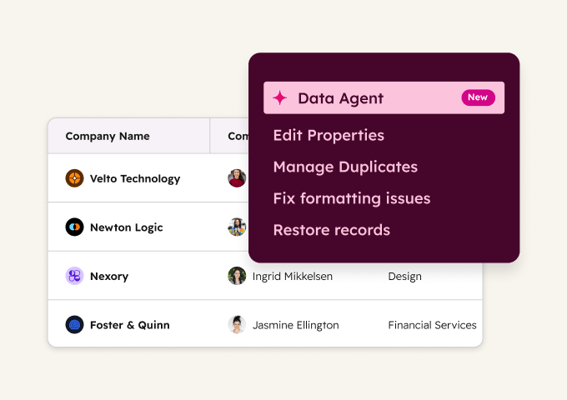
Data Enrichment covers standard fields like industry, job title, company size, and employee count. Pair it with Data Agent to answer custom questions your business needs, like what tools a contact uses or what challenges their team is actively hiring to solve. 

Learn more

Generate

2x

more leads on average with Data Enrichment

Create

24%

more contacts on average with Data Enrichment

Generate

98%

more MQLs on average with Data Enrichment

Using HubSpot's enrichment features has greatly enhanced our ability to drive demand. The enriched data has enabled us to target the right companies accurately, while the buyer intent feature has provided valuable insights into our Total Addressable Market. Using both features together has elevated the effectiveness of our lead generation strategy.

JOSH AMES

RevOps Manager

Phocas Software

Phocas-Business-Intelligence_marketing copy

Starter, All Products

Get Started with Data Enrichment

Set up your first enrichment in minutes.

Step 1 - Enable Enrichment Access

Go to Settings, then Users & Teams. Find the Data Management section and toggle Data Enrichment Access ON for users who need it. Super Admins have this access automatically.

Step 2 - Configure Automatic Enrichment

Go to Settings, then Data Enrichment in the Data Management section. Toggle on "Automatically enrich new records" and "Continuously enrich existing records."

Step 3 - Set up Property Mapping

Click the Mapping tab to choose which HubSpot properties receive enrichment data. Select "Fill empty values and overwrite existing values" for fields like Job Title to keep records current. 

Step 4 - Test Your Records

Navigate to Data Management, then Data Quality, and then the Data Enrichment tab. From there, click "Scan for enrichment gaps" in the top right. Review the match rate, then click "Enrich records" when ready.

Step 1 - Enable Enrichment Access

Go to Settings, then Users & Teams. Find the Data Management section and toggle Data Enrichment Access ON for users who need it. Super Admins have this access automatically.

Step 2 - Configure Automatic Enrichment

Go to Settings, then Data Enrichment in the Data Management section. Toggle on "Automatically enrich new records" and "Continuously enrich existing records."

Step 3 - Set up Property Mapping

Click the Mapping tab to choose which HubSpot properties receive enrichment data. Select "Fill empty values and overwrite existing values" for fields like Job Title to keep records current. 

Step 4 - Test Your Records

Navigate to Data Management, then Data Quality, and then the Data Enrichment tab. From there, click "Scan for enrichment gaps" in the top right. Review the match rate, then click "Enrich records" when ready.

Turn it on. Watch it work.

Once enrichment is live, new records fill in on creation. Existing records are updated monthly. Your segments and AI prompts run on current data from that point forward, with no manual updates required.

What to expect:

  • Contact and company fields fill automatically

  • Segments built on complete, current records

  • AI prompts return more on-target results

Your tools are only as good as the data behind them. Fix the foundation, and everything you build on top of it gets better. 

Go Deeper with More Breeze Tools

Once you get Data Enrichment up and running, go beyond standard fields with custom data sets.
data_agent@2x

Starter, All Products

Data Agent

Answers custom research questions you define about contacts and companies by pulling from your CRM, conversations, documents, and web sources. Use it when you need properties that standard enrichment doesn't cover, like what software a team uses or what they're actively hiring for.
data_studio_thumbnail@2x

Data Hub Professional

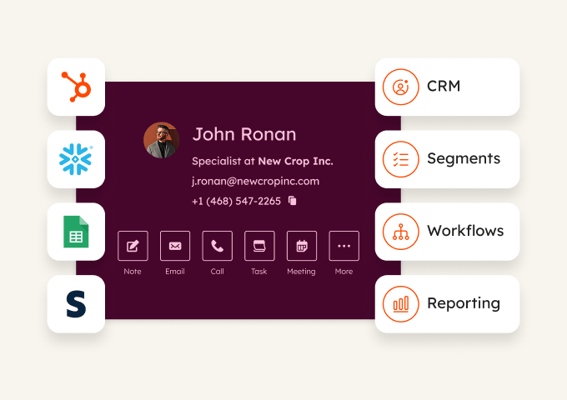
Data Studio

Combines customer data from multiple sources into one place, with smart columns that enrich entire datasets at once. Use it when you need to update thousands of records with custom research rather than enriching contacts one at a time.