Logo - Full (Color)

Conduct Market and Competitive Research

Features you'll explore

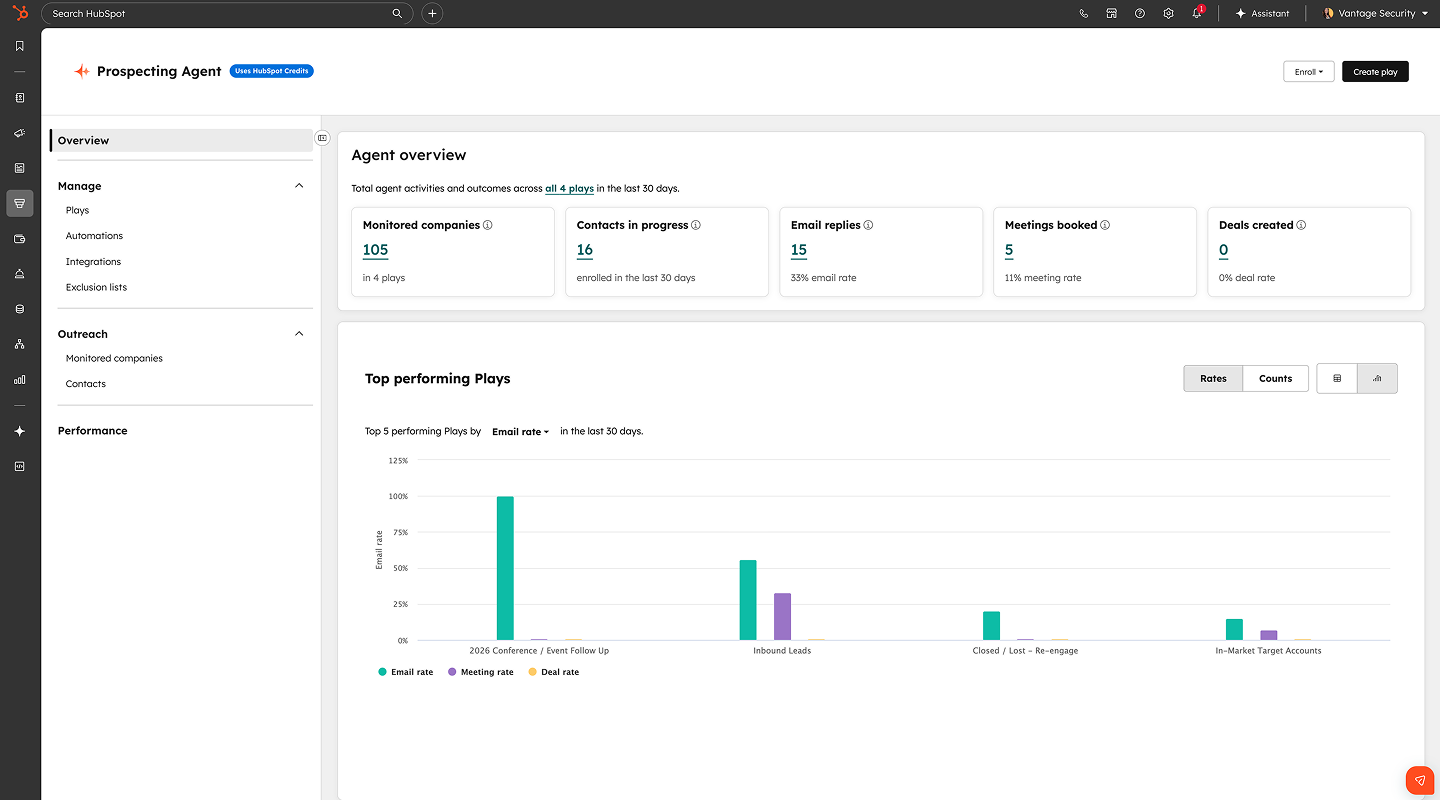
Prospecting Agent

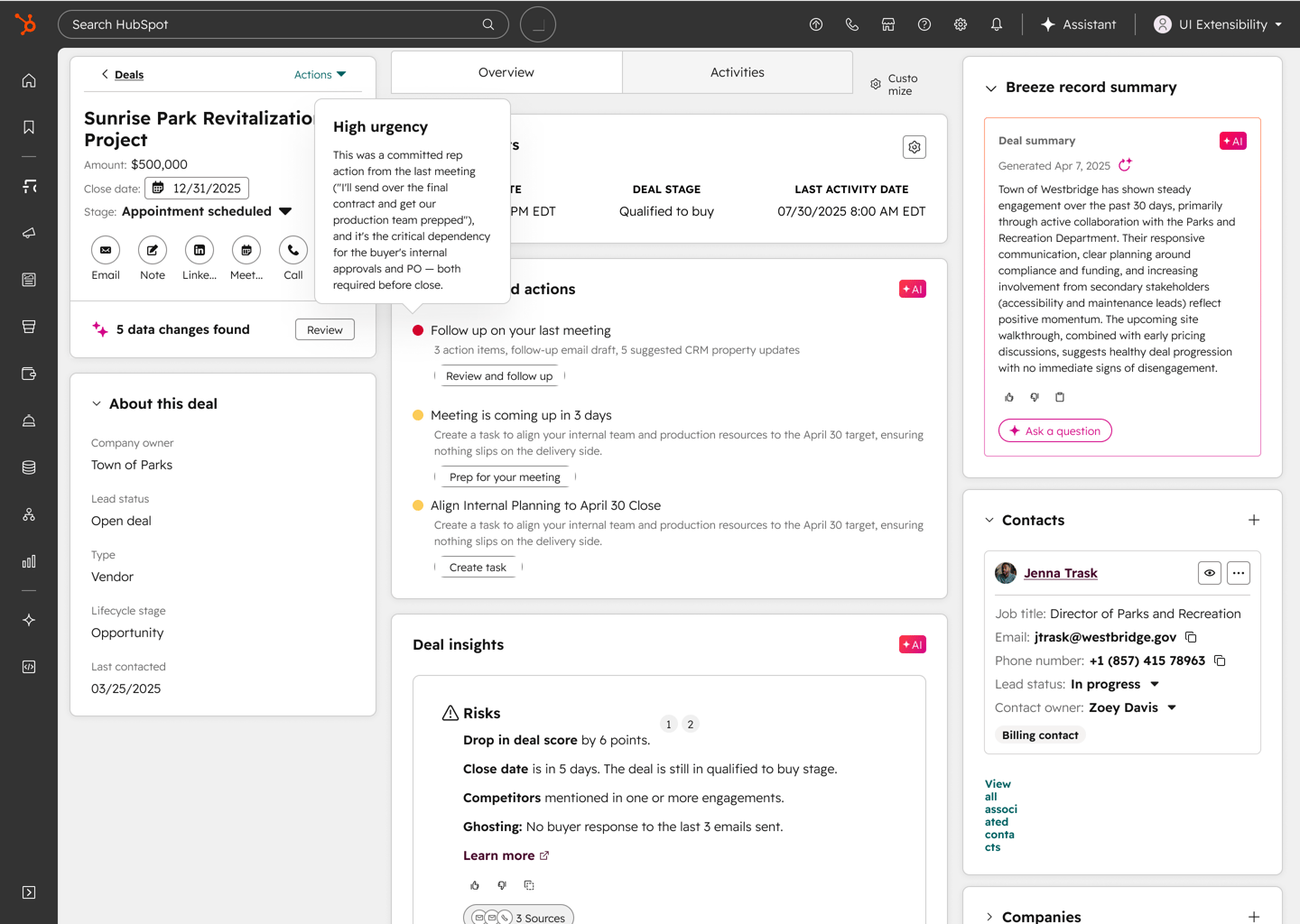
See how AI analyzes buyer interactions across emails, calls, and meetings to surface the next steps that move your deals forward.
1440 x1024

Work the Deals That Actually Close

AI reviews buyer interactions, from emails to calls to meetings, and tells reps which deals need attention and why. Instead of manually reconstructing timelines, reps see a real-time deal health score and prioritized actions on every open deal.

Start with Notetaker to capture meeting context automatically. Add deal progression to get recommended actions and inbox-ready reply drafts. , Then use Deal Plans to give buyers and sellers a shared path to close. 
Learn more

Get Started With Deal Progression

Start getting prioritized next steps on every deal in minutes.

Step 1 - Connect Your Conversations

Connect your email (Gmail or Outlook) and enable Notetaker. Deal progression uses buyer interactions from these sources to generate health scores and recommendations. You can also bring transcripts from apps like Zoom, Teams, or Meet.

Step 2 - Review Deal Health Scores

Once connected, predictive deal score populates scores for every active deal based on recent interactions. Navigate to any deal record to see the health score, which reflects engagement patterns, response timing, and conversation sentiment across all channels.

Step 3 - Act on Next Best Actions

Deal progression surfaces prioritized recommendations on every deal record . Each action includes context on why it matters, so reps execute the right next step without clicking through timelines.

Step 4 - Send Contextual Replies

When a prospect emails, deal progression drafts a reply based on the full conversation history, including past objections, agreed next steps, and meeting outcomes. Review and edit the draft directly in Gmail or Outlook before sending.

Step 5 - Create a Deal Plan

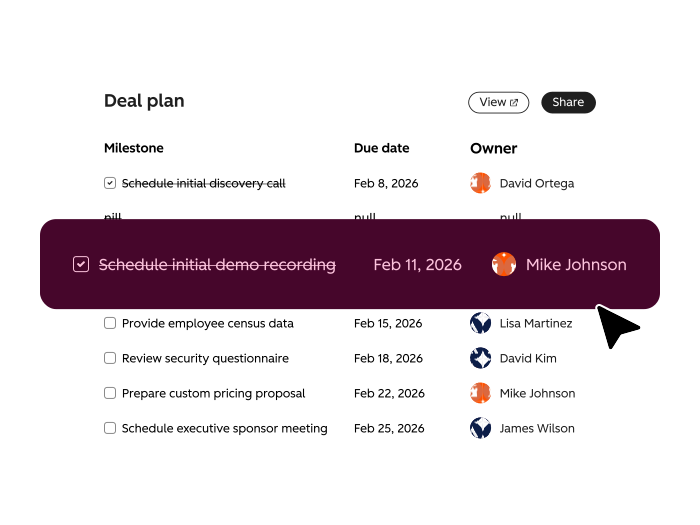
Set up a shared path to close with milestones, owners, and target dates. Admins can build templates that match your sales process. As deals progress, deal progression updates plans automatically based on what happens in meetings, calls, and emails.

Go Deeper with Related Tools

Add these tools to capture more conversation context and keep every deal on track.
Start here
BRZ_BreezeAssistant_Hero_EN

Free, All Products

Breeze Assistant

Summarizes competitive findings, analyzes market trends from CRM data, and helps build positioning briefs grounded in real customer and prospect behavior. Use it to turn raw company research into structured competitive analysis without switching between tools.
SH_DealPlans_OverviewPage_EN_08212026

Sales Hub Pro+

Deal Plans

Gives buyers and sellers a shared path to close with milestones, owners, and dates that update as deals progress. Admins create templates that match your sales process. Use it to keep both sides aligned on what happens next without status meetings or email chains.
SH_DealProgression_NextBestAction_EN_08212026@2x

Sales Hub Pro+

Recommended Actions

Replaces manual activity tracking with smart recommendations delivered on the deal record and through the overview tab on the deal record. Surfaces prioritized next steps based on recent emails, calls, and meetings. Use it to focus reps on what to do next instead of what happened last.