Logo - Full (Color)

Capture and qualify leads

Stop losing leads to slow follow-up.

Let AI qualify, route, and book meetings instantly. 

pictogram-capture-qualify-leads-sales

The Problem

Speed Wins Deals. Slow Follow-Up Loses Them.

Sound familiar?

  • "We consistently lose leads that come in after hours."

  • "My reps waste hours on prospects who were never a good fit."

  • "Our routing is broken. Leads sit or go to the wrong person."

You still need to respond to new leads quickly and qualify them accurately. What's changed is that you no longer have to do it manually.

The most repetitive parts of your sales process, like asking the same qualifying questions over and over, are exactly where AI delivers the most value. Let AI handle that work, so your team can spend their time actually selling.

How Breeze Helps

How Breeze Helps

Start With the Work That Shouldn't Require Human Intervention

AI handles the first conversation and connects qualified leads to the right rep immediately. No more lost leads from slow response times or after-hours traffic. Start with Customer Agent, and then see how other Breeze tools can help you move pipeline faster.

Start with Customer Agent

All Products, Professional and Enterprise

Most AI chatbots just answer questions. Customer Agent qualifies and converts.

Customer Agent engages visitors, qualifies them on criteria you define, and books meetings with the right rep. No forms to fill out. No delays. Just qualified meetings booked while interest is hot.

Because it's built on HubSpot's Smart CRM, every interaction gets logged automatically, including conversation history and qualification details. When sales picks up the conversation, they have complete context without digging through multiple systems or syncing data across tools.

This is the difference between generic AI and AI that actually moves pipeline.

Turn it on to see real results

  • 65%

    of conversations handled without a human

  • 24/7

     lead engagement and qualification

Get Started With Customer Agent

Set up Customer Agent and start qualifying leads now.

Step 1 - Create and Configure

Navigate to Service > Customer Agent and click "Set up your agent." Name your agent and choose a personality that matches your brand — Friendly, Professional, Casual, Empathetic, or Witty.

Step 2 - Add Content Sources

Connect your knowledge base articles, website pages, help docs, PDFs, or external URLs. Your agent learns from this content to answer customer questions accurately.

Step 3 - Test it First

Use the built-in testing tool to preview responses without using credits. When you're confident it's guiding visitors effectively, deploy it and it's ready to engage visitors 24/7.

Step 4 - Deploy to Channels

Choose where your agent will engage visitors — website chat, email, WhatsApp, Facebook Messenger, or voice (beta). 

Need more advanced Customer Agent features?

Set up custom handoff rules, create actions for API integrations, or configure CRM data access.

Go Deeper with More Breeze Tools

Once you've got Customer Agent up and running, add more Breeze tools to make your qualification and routing even smarter.
prospecting_agent_thumbnail_2x Sales Hub Professional

Prospecting Agent

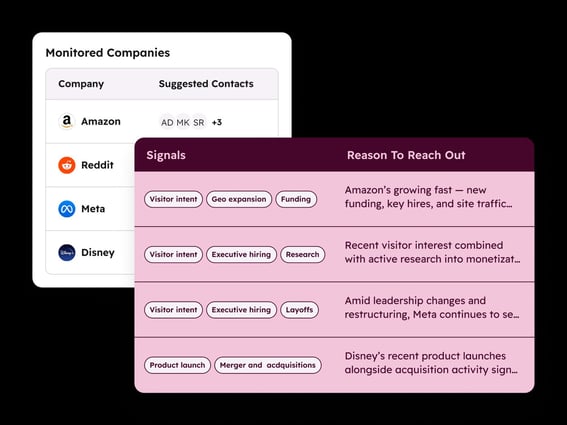
Monitors your priority accounts for signs they're ready to buy, like new funding, leadership changes, or hiring activity. When it spots something, it drafts and sends personalized outreach automatically. Reach qualified leads at the right moment instead of waiting for them to come to you.
lead_scoring_thumbnail_2x Marketing Hub Professional, Sales Hub Professional

Lead Scoring

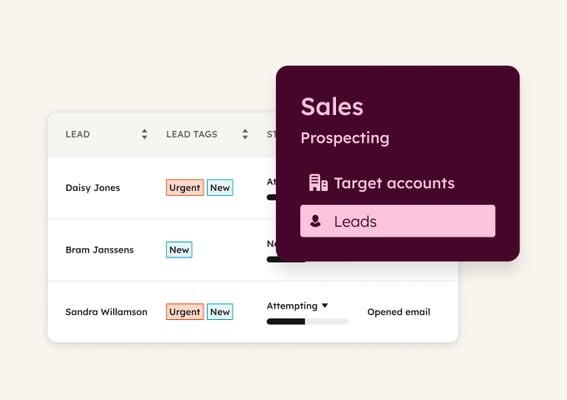
Scores contacts and companies based on fit and engagement signals, like job title, company size, website visits, and email interactions. Use it to prioritize follow-up, so reps focus on the leads that actually matter.
customer_handoff_agent Starter, All Products

Customer Handoff Agent

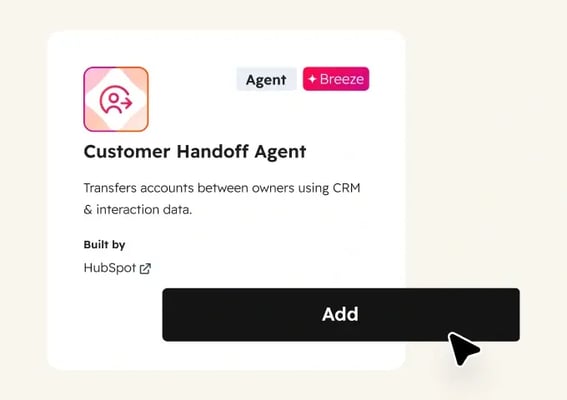
Gathers lead context, including campaign touches, content consumed, and qualification details, into a structured handoff document before routing to sales. Reps get the full picture without digging through records. Use it to start every sales conversation informed and ready to move.

It helps us convert faster. The faster we can provide accurate information, the more likely they are to become customers.

CHRIS PATULLO

Founder & CEO

Football Play Card

Football Play Card Logo with Name Black 1
identify_buyers_intent_sales_pictogram Established

Identify buyer intent

See which companies are actively researching solutions like yours. Breeze tracks website visitors and monitors for buying signals, so reps focus on warm accounts instead of cold outreach.

enrich_contact_company_data_sales_pictogram Emerging

Enrich contact and company data

Fill CRM gaps automatically with complete contact and company details. Breeze enriches records continuously, so your team can segment, score, and personalize without manual research.

send_personalized_outreach_sales_pictogram Established

Send personalized outreach

Scale personalized outreach without scaling headcount. Breeze researches accounts, monitors for buying signals, and crafts emails that reference what changed, so reps engage at just the right moment.