Logo - Full (Color)

Capture and qualify leads

Stop losing visitors to slow follow-up.

Let AI engage, qualify, and capture leads 24/7.

pictogram-capture-qualify-leads-marketing

The Problem

High Traffic. Low Conversions.

Sound familiar?

  • "We lose after-hours traffic because no one's there to help."

  • "By the time we follow up, visitors have already talked to competitors."

  • "Forms create friction. People leave without converting." 

You need to capture and qualify leads instantly. Forcing visitors to fill out forms or wait for business hours kills conversion. Your team needs complete context about every lead without manual handoff coordination.

How Breeze Helps

How Breeze Helps

Convert More Visitors Into Qualified Leads

AI engages website visitors instantly, answers questions, qualifies them on your criteria, and captures contact info or books meetings. No more lost leads from after-hours traffic. Start with Customer Agent, then add Breeze tools to score and hand off leads with complete context.

Start with Customer Agent

All Products, Professional and Enterprise

Most chatbots just answer questions. Customer Agent qualifies and converts.

Customer Agent engages visitors 24/7, answers product questions, qualifies prospects based on criteria you define, and captures contact information or books sales meetings. No forms. No delays. Just qualified leads ready for sales.

Because it's built on HubSpot's Smart CRM, every conversation gets logged automatically with complete qualification details and conversation history. When sales picks up the lead, they have full context without digging through scattered notes or asking the same questions twice.

This is the difference between visitors who bounce and leads who convert.


Turn it on to see real results

  • 65%

    of conversations handled without a human

  • 24/7

     lead engagement and qualification

Get Started With Customer Agent

Set up Customer Agent with confidence.

Step 1 - Create and Configure

Navigate to Service > Customer Agent and click "Set up your agent." Name your agent and choose a personality that matches your brand — Friendly, Professional, Casual, Empathetic, or Witty.

Step 2 - Add Content Sources

Connect your knowledge base articles, website pages, help docs, PDFs, or external URLs. Your agent learns from this content to answer customer questions accurately.

Step 3 - Test it First

Use the built-in testing tool to preview responses without using credits. When you're confident in your agent's performance, deploy it and it's ready to engage visitors 24/7.

Step 4 - Deploy to Channels

Choose where your agent will engage visitors, such as your homepage, pricing pages, or product pages. You can also deploy to email, WhatsApp, or Facebook Messenger to reach visitors across channels.

Want your agent to qualify leads before booking a meeting?

Configure custom qualification criteria, set up automatic meeting booking with sales reps, or create handoff rules to route high-value leads immediately.

Go Deeper with More Breeze Tools

Once Customer Agent is capturing leads, add these tools to score, qualify, and hand off leads with complete context.
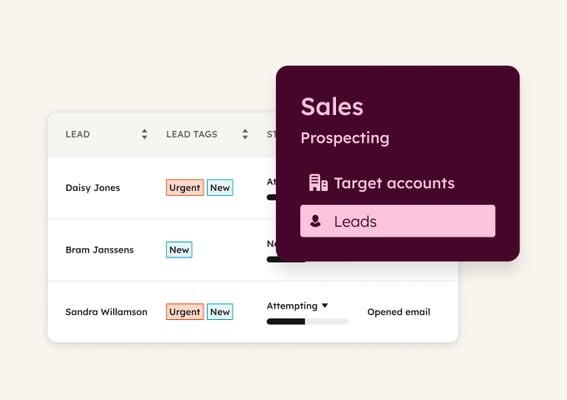
lead_scoring_thumbnail_2x Marketing Hub Professional, Sales Hub Professional

Lead Scoring

Predicts which leads are most likely to convert based on fit and engagement signals like job title, company size, website visits, and email interactions. Use it to prioritize follow-up so sales focuses on leads that actually matter and ignores time-wasters.
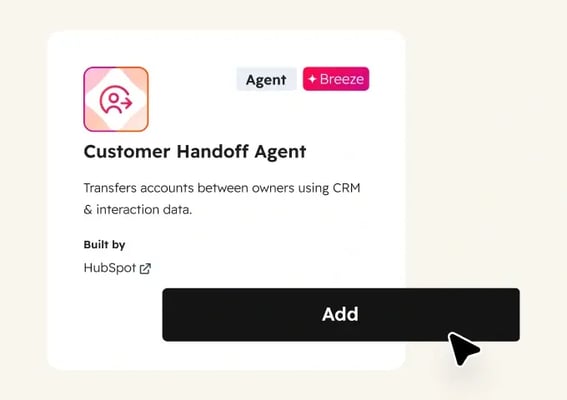
customer_handoff_agent Starter, All Products

Customer Handoff Agent (Beta)

Gathers lead context, including campaign touches and qualification details into a structured handoff document before routing to sales. Use it to start every conversation informed and ready to move instead of making prospects repeat themselves.

Breeze Customer Agent is an enormous help, especially for filtering leads and service inquiries. It saves you hours and hours answering questions that the agent can resolve by itself.

PEDRO JOSÉ PABÓN

Founder & CEO

Mamut Rojo

define_target_audience_marketing_pictogram Established

Define target audience

Discover who your best customers actually are. Breeze analyzes your CRM to surface patterns across top accounts, so you build segments based on what drives conversions, not assumptions.
create_personalized_content_marketing_pictogram Established

Tailor content for channels

Transform one asset into a multi-channel campaign. Breeze repurposes your best content into emails, social posts, and landing pages—each tailored to its audience and channel.
enrich_contact_company_data_sales_pictogram Emerging

Enrich contact and company data

Fill CRM gaps automatically with complete contact and company details. Breeze enriches records continuously, so your team can segment, score, and personalize without manual research.