Back to All Modules

Slide-In CTA

Search (CSOL) Slide-In CTA in the CMS

Jump to Guidelines and Use Cases

Theme Options:

Module Preview
Module Preview

FAQ's

How To Use This Module

Use Text, Product CTAs or Images to convert visitors as the user scrolls.

Use Cases

Scroll-Based Activation

Configure when the slide-in appears based on scroll position (always visible, top third, half, lower third, or bottom of page).

Expandable Content

Users can expand/collapse the CTA content via an accordion button. The module starts expanded by default.

Positioning

Choose whether the CTA slides in from the right or left edge of the viewport.

Keyboard Accessibility

Supports Escape key to close, tab trapping when expanded, and full keyboard navigation.

Customizable Labels

Configure expand, collapse, and close button labels for internationalization or custom messaging.

Guidelines

Character Count

  • Recommended character count for the top bar is ~30 characters
  • Recommended header character count is ~45 characters

Things to Know

  • Set the Slide-in CTA to trigger at 3 distinct scroll points on the page, or make it always visible.

Similar Modules

Promo Bar

The Promo Bar highlights a newsworthy mention or an upcoming event, with a CTA to learn more.

updated
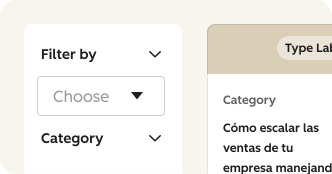
Filterable Content

CSOL Filterable Content module facilitates the input and management of multiple resources, allowing CMS users to curate engaging content for page visitors.

What's New?

| v2.13.0 August 2024

  • Added a new "CTA Type" option called "Back to Top" which will move the user to the top of the page if selected.

| v2.11.0 June 2024

  • Allows CTA styling options so user can set a Type (button versus text link) and Button Style (i.e. primary, secondary or tertiary)

| v1.0.0 August 2022

  • We have included a Custom CTA option, which allows you to add a header, description and a button