









































Back to All Modules

Photo Gallery

Search (CSOL) Photo Gallery in the CMS

Jump to Guidelines and Use Cases

Theme Options:

Module Preview

Masonry Layout (Carousel on Mobile)

Carousel Layout

Masonry Layout (Carousel on Mobile)

Carousel Layout

Masonry Layout (Carousel on Mobile)

Carousel Layout

Module Preview

FAQ's

How To Use This Module

This module allows you to add a collection of photos to a page that will convert into a carousel view on smaller screens. By default the images will be arranged in column, masonry style.

Use Cases

Display Modes

Content creators can choose from three primary display modes: carousel for all devices, carousel for mobile only, or static grid. The grid layout can be configured as 3 or 4 columns.

Lightbox Experience

When enabled (desktop and tablet only, not available with full carousel mode), users can click images to open a full-screen lightbox with carousel navigation for viewing all images.

Masonry Layout

Optional masonry layout creates a Pinterest-style staggered grid where images flow naturally without equal row heights.

Image Captions

Each image supports an optional caption with rich text (links enabled) that displays below the image in all viewing modes.

Get on-brand assets for your module

Guidelines

Image Sizing

  • Images should be at least 260px wide to avoid them being stretched and looking pixelated 300x300px recommended
  • Create a grid layout cropping or uploading images with the same aspect ratio

Things to Know

  • Modal can appear on exit or after a timed delay
  • On Mobile, choose images to be displayed inside a Carousel or maintaining the Gallery layout

Similar Modules

updated
Single Image

Illustrate something meaningful related to the pages content.

updated

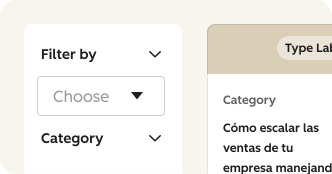
Filterable Content

CSOL Filterable Content module facilitates the input and management of multiple resources, allowing CMS users to curate engaging content for page visitors.

What's New?

| v2.33.0 July 2025

  • This module now allows you to choose between displaying images in either a 3 or 4 column grid in the masonry layout.

. | v1.6.0 & | v1.7.0 May 2023

  • This module now allows you to select if you would like the images to appear in a carousel on desktop. This will display one photo at a time in the carousel If carousel is selected for desktop it will maintain this functionality across other devices.
  • This module now features optional captions to add below the images.