Similar Modules
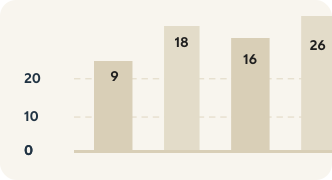
Graph
Create interactive data visualization graphs to delight and share insights.
Display up to 12 Numbers highlighting interesting and distinct data points related to the topic of a page.
Content creators can enter numbers in different formats: percentages (e.g., "75%"), fractions (e.g., "3/4"), or plain numbers (e.g., "232"). Percentages and fractions render as animated circular progress indicators, while plain numbers display as large statistics.
Each number item includes a title with customizable semantic heading level, the number value (max 5 characters), and a description.
Circular progress indicators can be animated (default) or static, controlled by the `animate` field.
Optional rich text content can be displayed alongside the numbers, with configurable order (numbers first or content first).
Create interactive data visualization graphs to delight and share insights.
| v2.3.0 December 2023 - Adds optional rich text section