Back to All Modules

Full-Width CTA

Search (CSOL) Full-Width CTA in the CMS

Jump to Guidelines and Use Cases

Theme Options:

Module Preview

Exclusive Pricing

All Mastercard merchants can get started for free and are eligible to upgrade for up to 20% off HubSpot software.

Exclusive Pricing

All Mastercard merchants can get started for free and are eligible to upgrade for up to 20% off HubSpot software.

Exclusive Pricing

All Mastercard merchants can get started for free and are eligible to upgrade for up to 20% off HubSpot software.

Module Preview

FAQ's

How To Use This Module

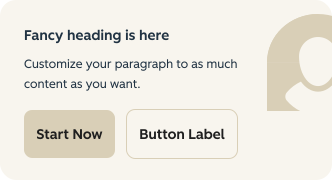
Provide your visitors with an opportunity to take action, with two buttons and an optional header and description. Whether it's moving to another page, requesting more info on a topic or product, or signing up to receive more great content.

Use Cases

Optional Heading

Add an optional heading above the CTAs with configurable semantic level for proper document structure.

Rich Text Descriptions

Include multiple rich text description paragraphs with support for emphasis, bold, underline, emoji, personalization, and character entities.

Primary and Secondary CTAs

Add up to two configurable CTA buttons. The first CTA automatically receives primary styling, and the second receives secondary styling.

Guidelines

Character Count

  • Limit CTA text to 2 or 3 words

Things to Know

  • SEO and accessibility wise, this modules header is set to be an H3 on the page, so it does not compete a Section Header H2

Similar Modules

updated

Full-Width CTA Card

Highlight details about a specific product or offer, and then add a CTA.

updated

CTA Content Block

Draw attention to a final call-to-action for your page.

What's New?

| v2.13.0 August 2024

  • Added a new "CTA Type" option called "Back to Top" which will move the user to the top of the page if selected.

| v2.11.0 June 2024

  • Allows CTA styling options so user can set a Type (button versus text link) and Button Style (i.e. primary, secondary or tertiary)