Back to All Modules

Fixed Secondary Navigation

Search (CSOL) Fixed Secondary Navigation in the CMS

Jump to Guidelines and Use Cases

Theme Options:

FAQ's

How To Use This Module

This module sticks to the top of the page and provides a series of menu items that allow visitors to navigate within a set of related pages or Section Header modules within the page. (sticky functionality disabled in preview below)

Use Cases

Three Link Sources

  • Manual: Up to 8 custom navigation links with optional dropdown submenus
  • Auto-generated: Automatically creates navigation from Section Header modules on the page
  • HubDB Table: Links derived from a HubDB table with language filtering support

Alignment Options

Choose left, center, or right alignment for navigation items.

Dropdown Submenus

Manual links can include unlimited dropdown submenu items for hierarchical navigation.

Optional CTA Button

Add one secondary CTA button to the navigation for conversion-focused actions.

Fixed Positioning

Navigation sticks to the top of the viewport when scrolling, powered by the Component Library's fixed-elements system.

Guidelines

Character Count

  • Keep navigation labels short, around 1 or 2 words
  • Limit CTA text to 2 or 3 words

Variations

  • Manual link type: add labels, URLs or dropdown menus directly in the module fields
  • Auto-generated link type: anchor links will automatically be generated based on Section Headers on your page
  • HubDB: links will be sourced from a HubDB table (requires development resources to set up)

Things to Know

  • Anchor links look like this: #section-id. You can add them on any Section Header module
  • Can also use absolute URLs (meaning the full https://www.xyx.com url) to external pages
  • If you are using Manual Links and want to anchor link to a Section Header module, you can do so by using External link type then your anchor id in the #section-id format. To see how to do this in the editor please watch the loom below.

Similar Modules

updated

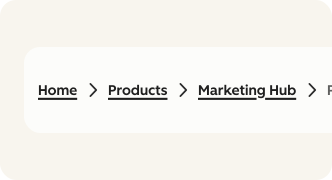
Breadcrumbs

Enhance page navigation with the customizable Breadcrumbs module

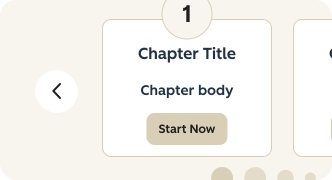
Chapters

Allows you to navigate within a long page more easily.

What's New?

| v1.9.0 June 2023

  • This module now has the ability to left, center, or right align.